.png)
The start of Epic Sum Up
As the name suggests, Epic Sum Up was created with a focus around epics, and the ability to break down epics into individual issues with a lot of control for the project manager.
Epic Sum Up was created to allow project managers a more granular control and view of Jira issues.
Two features that were developed to aid in the easy viewing of issues:
Progress bars - these allow a simple “game-ified” visual way to view the progress of individual issues.
The Summary Panel - Summary Panels were created to give project managers a quick, easy to view summary of different progress bars.
Later the Detail View Editor was developed, to give project managers more control over the hierarchy & layout structure of issues that are important to them.
The three main features
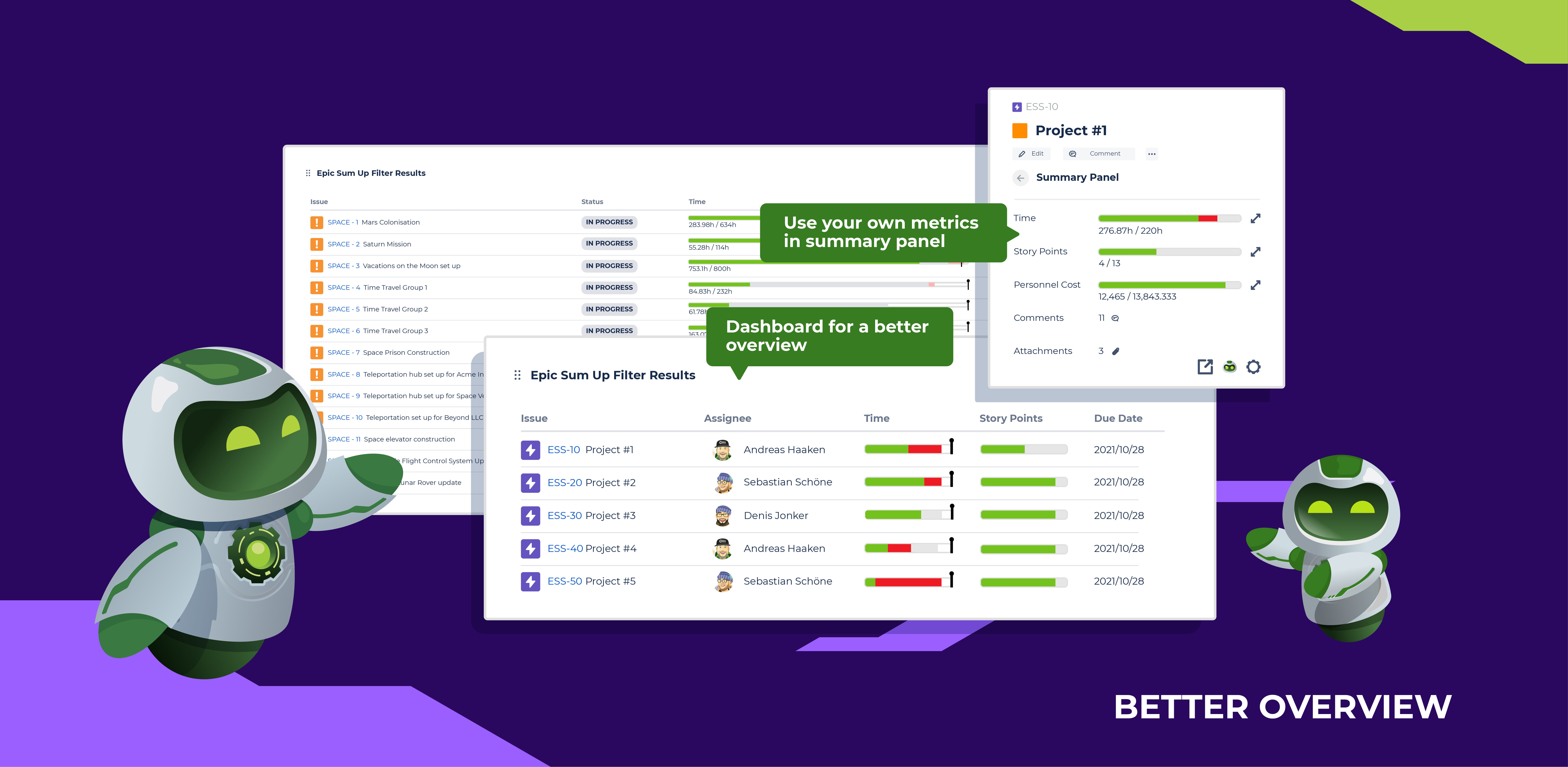
Live Reporting
Using dashboard gadgets and the Summary Panel, it’s possible to add live reports (progress bars), to almost anywhere in Jira.
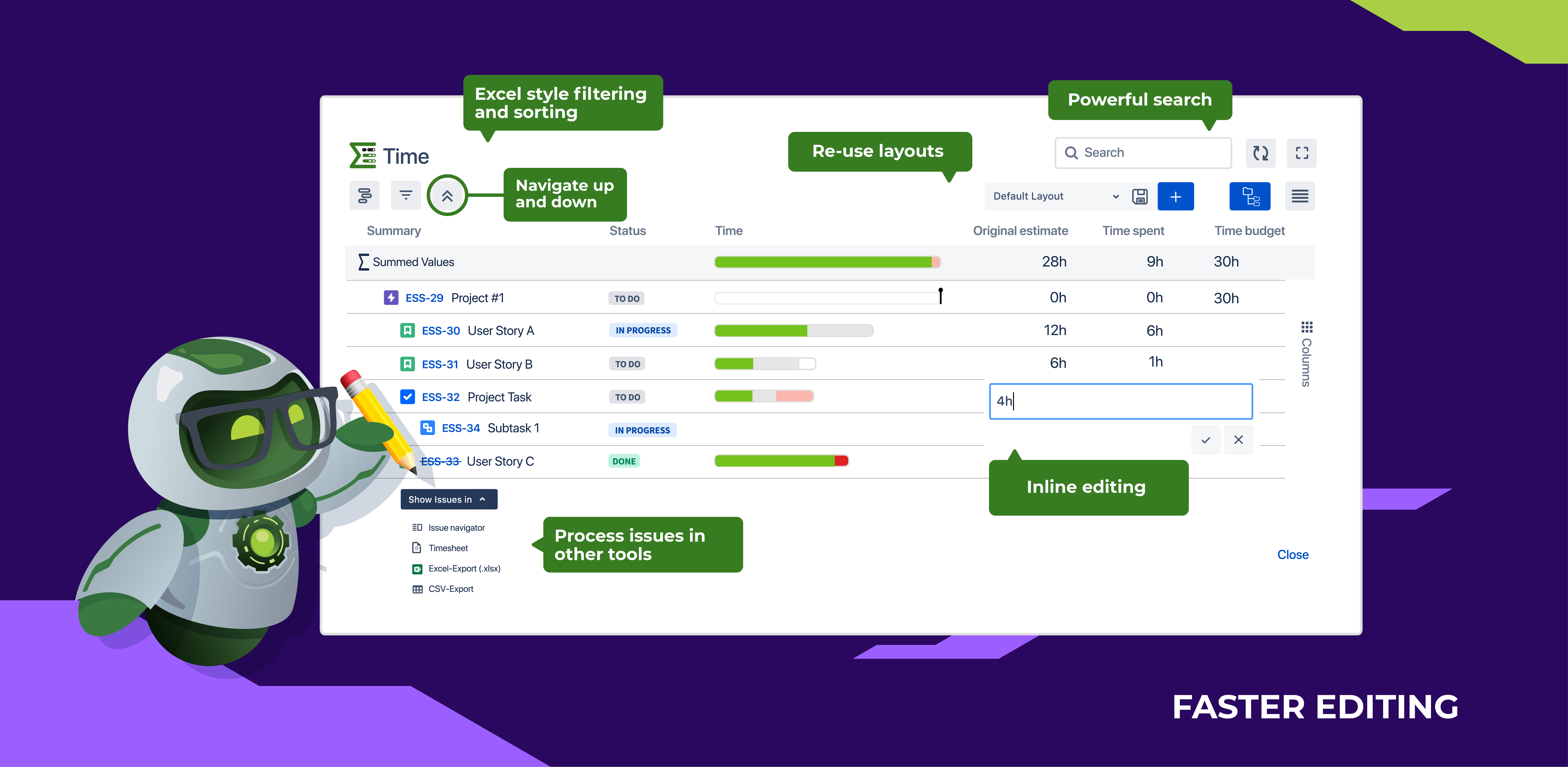
Easy Editing
The Detail View Editor (DVE) allows you to organize reports and mass edit thousands of issues at once, based on issues/progress bars. It has everything you’re used to in Excel.
You can also export this data for report purposes, to common file types such as Excel, and CSV - as well as other supported Jira apps.
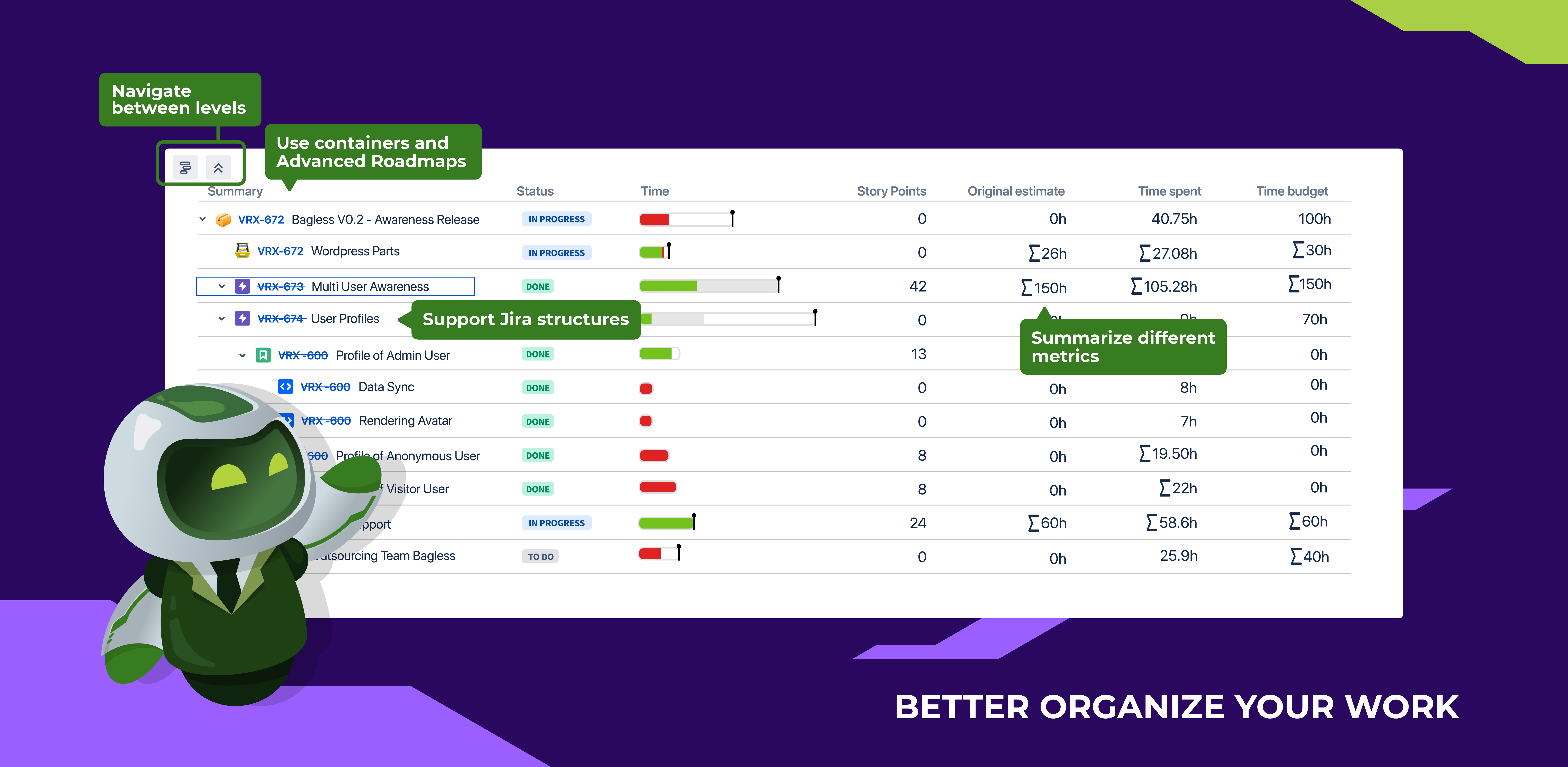
Better Organizing
With the Detail View Editor, you can see the detailed & complete hierarchies of issues, and filter them as you’d like. You can also easily edit values in most fields.